01
Keep a moment.
Save a moment or a thought. Add context now, later, or not at all. Optional check-ins stay optional.
 My Midlife
A private perimenopause & menopause companion
Save symptoms, treatment changes and questions in one place—without keeping a long daily diary.
Free on the App Store for iPhone & iPad · No account · No ads
No daily diary. No streak to lose.
Small moments. A story you can return to.
01
Save a moment or a thought. Add context now, later, or not at all. Optional check-ins stay optional.
02
Return to earlier records and your own notes about what you tried. Missing days stay unknown—not symptom-free.
03
Choose your questions and records for a visit brief. Review what is included before you decide to share.
These workflows are in the app today. Get it free on the App Store.
See the connected workflow
Actual iPhone simulator screens with fictional Sample Journey records. This is a still-image walkthrough, not a screen recording.
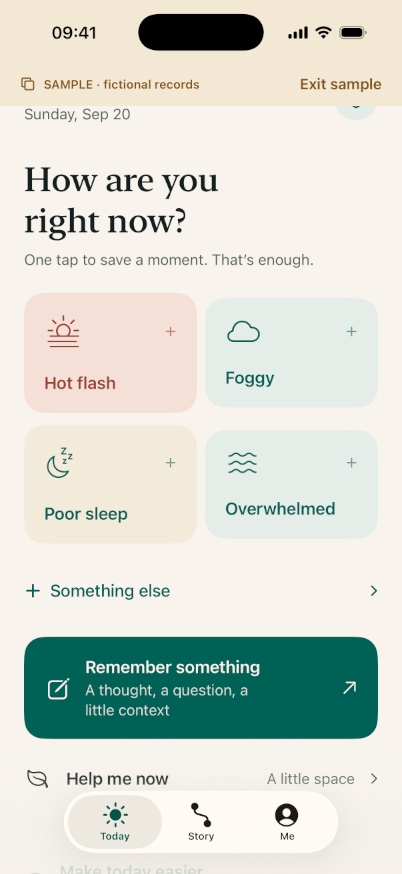
Today keeps stable capture controls and Remember something. Extra detail is optional; a quick Moment saves only after the local transaction succeeds.
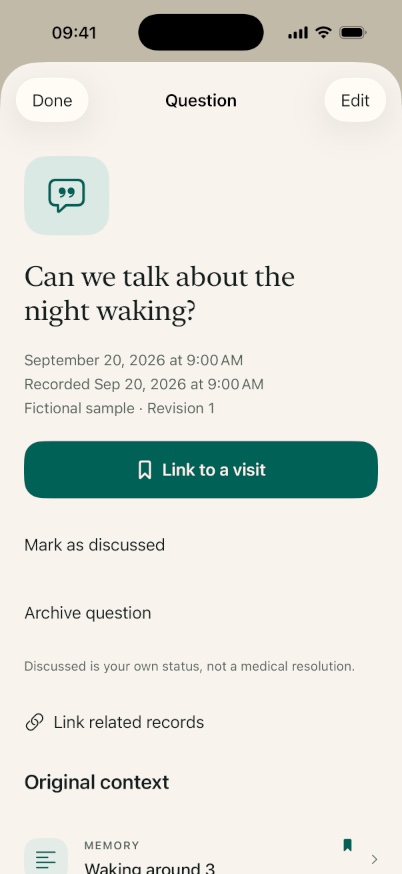
View this actual screenOpen a saved fictional note to review its wording and recorded date. Visit links reuse the original source rather than creating another symptom event.
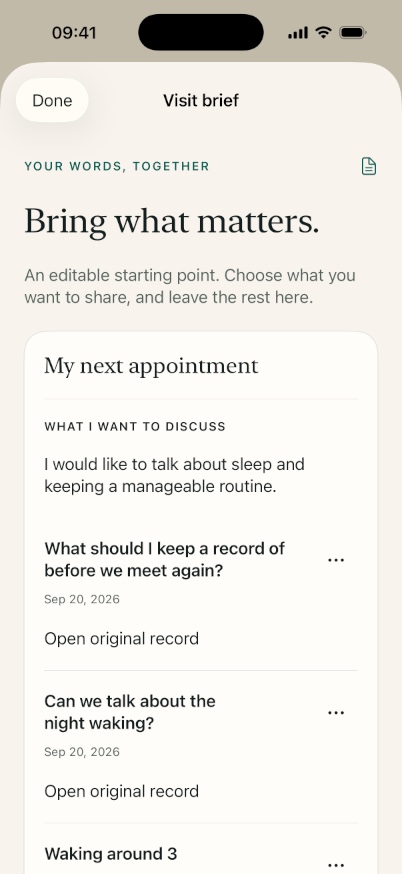
View this actual screenThe editable basic brief keeps your selected questions together. Open original record returns to its context; omit anything you do not want to share.
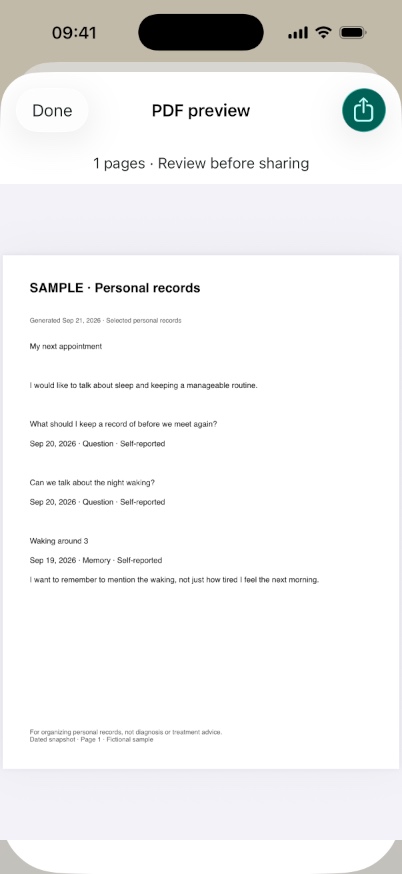
View this actual screenInspect the actual SAMPLE PDF page before choosing an export destination. This example is one page, not a promise that every brief fits on one page.
View this actual screenFor days that ask a lot
Low-Capacity Mode keeps three larger actions close: log something, find a little space, or remember a thought.
Your history and visit preparation are still there. No prompts to catch up. No praise for recording more symptoms.
A record, not another taskField notes
A free printable worksheet, question checklist and fictional example.
02 / A little contextKeep the timing and your existing instructions together, without treatment advice.
03 / Less pressureEvent notes, optional check-ins and why missing days stay unknown.